


Due to the recent internet sanctions in Russia, you might have some issues connecting to the Russian VPN locations. Try the following to see if you can get connected.
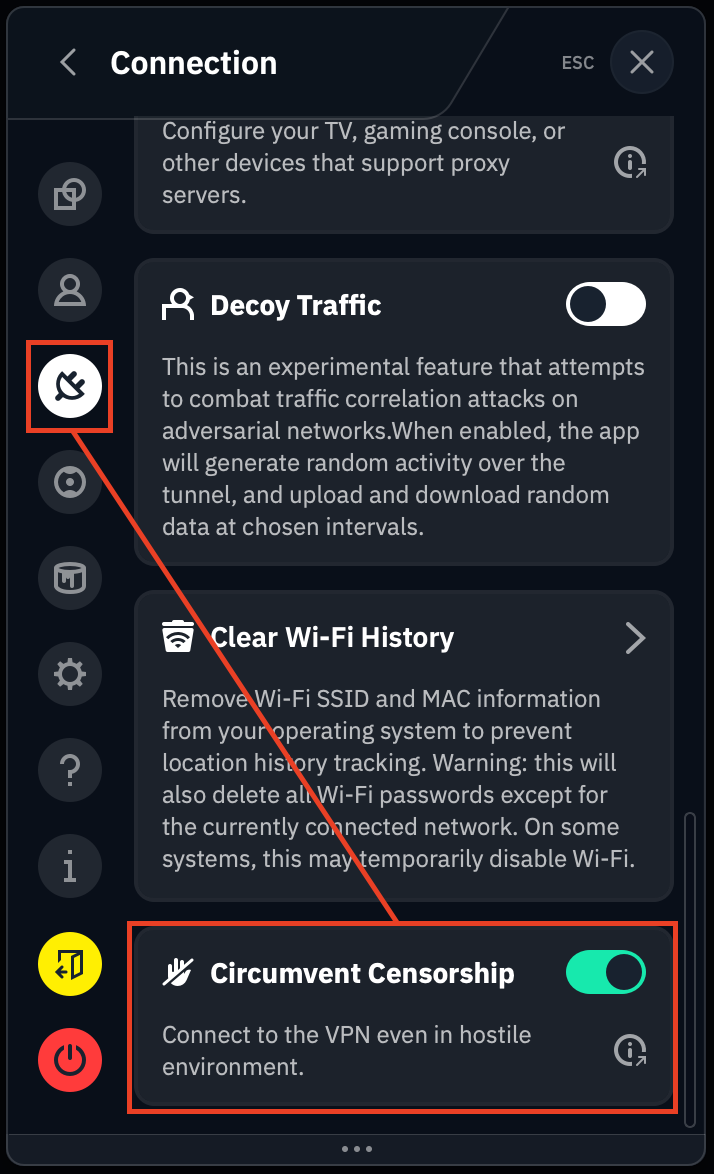
First off, enable our Circumvent Censorship feature from your Preferences > Connection tab:
Next, please try connecting to multiple servers to see if any of them will work for you. There are usually multiple options available in the Russia location, try connecting to all of them as one might not work but others could.
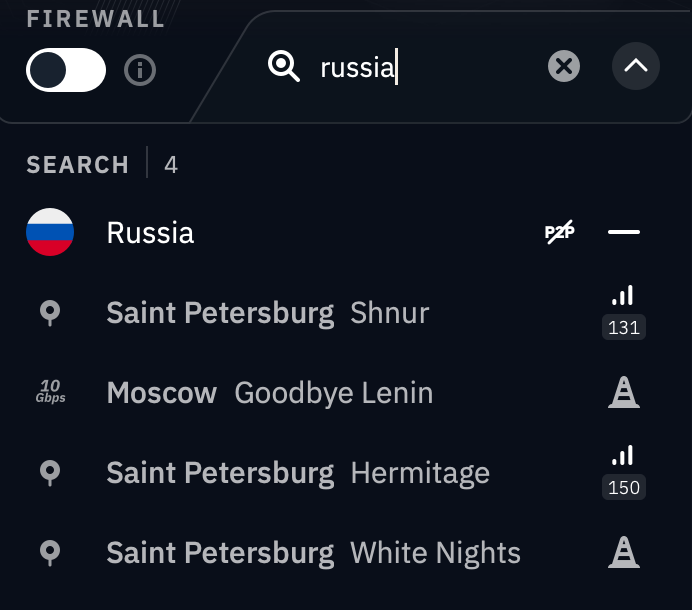
You may notice some locations are already coned off depending on your region, and server status itself.
If the above don't work, you might need to double-hop in order to connect to a Russian server. This will only work if you're on a desktop computer as it requires installing a browser extension, and it will only let you tunnel your browser traffic through the Russian VPN location. All other apps will be tunneled through the location chosen in the desktop app.
Download and install our desktop app and browser extension: https://windscribe.com/download
In the desktop app, connect to a location such as Canada or the US.
While remaining connected in the desktop app, return to the browser extension and you should be able to connect to Russia again.